C++ Protocol
A browser-based programming RPG where learners write real C++, solve guided missions and restore a relay station through a story-driven adventure.
Rodney Dela Cruz
Technical Co-founder, eSerbisyo IT Solutions
- C++20
- Clang
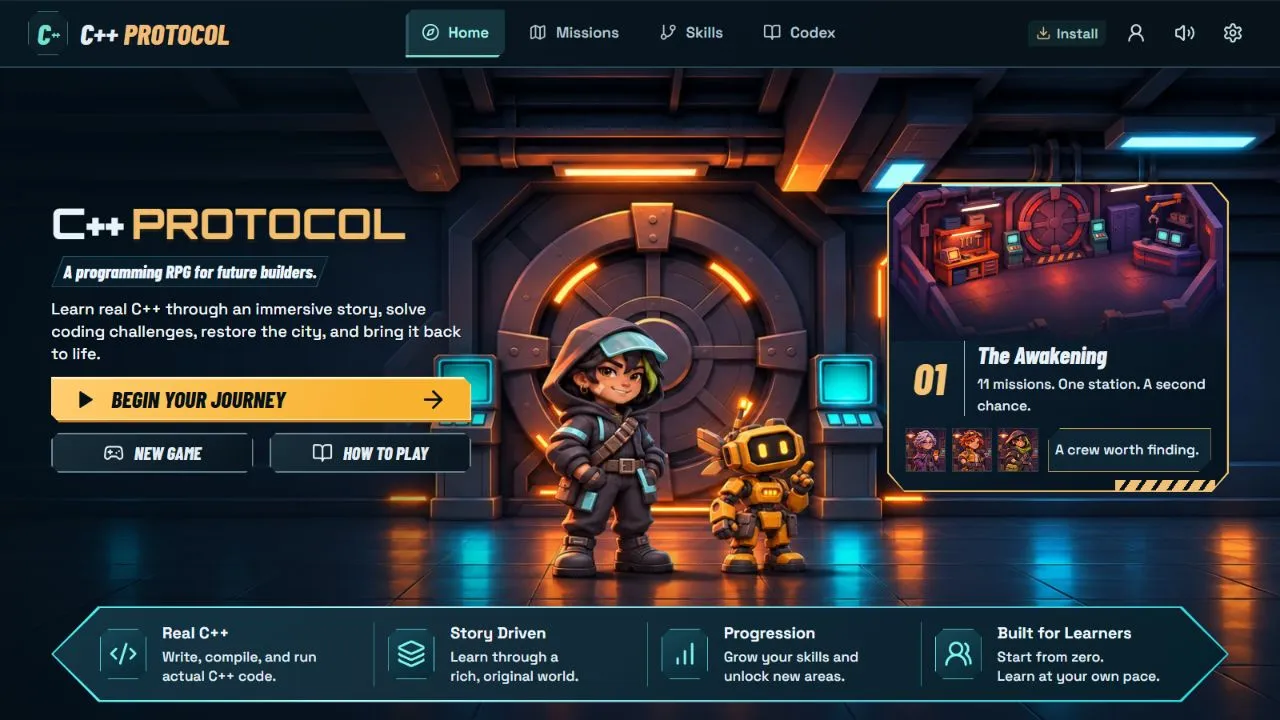
C++ Protocol is a programming role-playing game I built for learning C++ in the browser. Instead of separating lessons from practice, it places coding challenges inside an illustrated story: explore a relay station, meet its crew, and write programs to bring it back online.
How does a coding mission work?
The first chapter, The Awakening, introduces the station through a sequence of missions. Opening the relay terminal brings the objective, starter code, expected output and program diagnostics into one workspace.
The opening task asks the learner to print Hello, world! using cout.
Capitalisation and punctuation are part of the objective. The learner changes
the C++20 starter program and uses Compile & run to check its output against
the mission. A client-side Clang compiler runs the C++ in the browser.
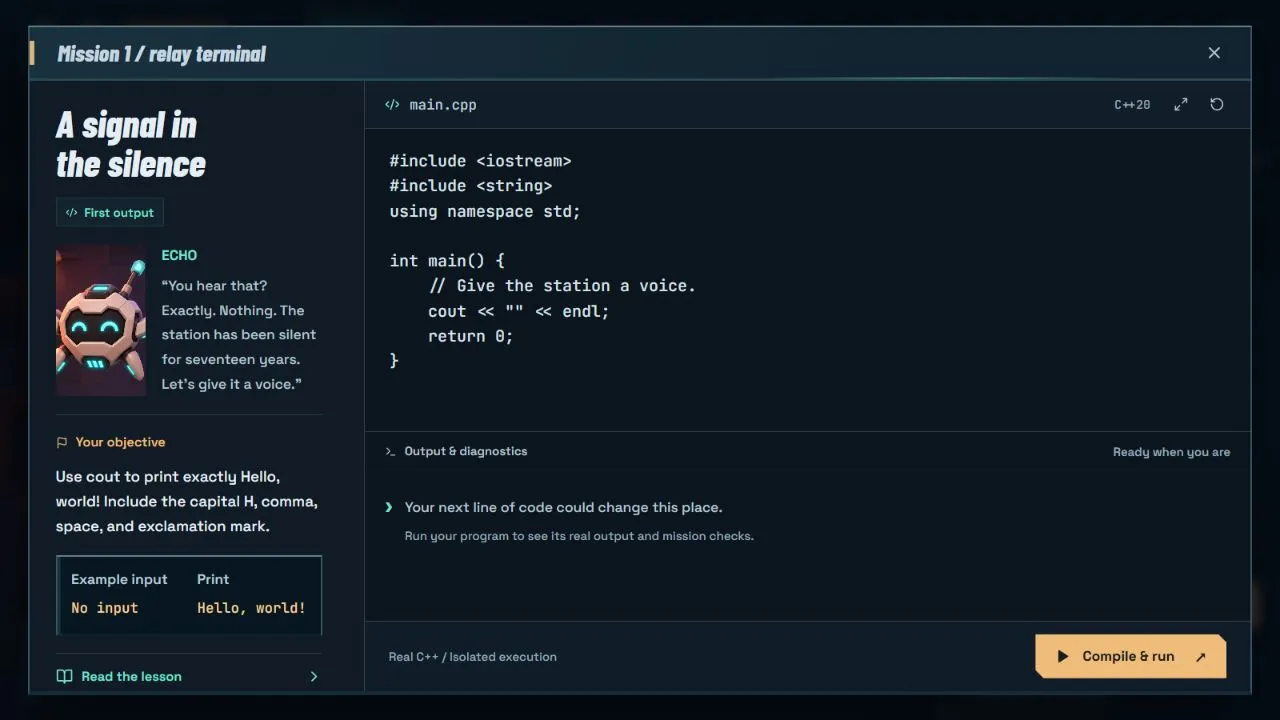
Lessons, a step-by-step guide and hints from ECHO, the robot companion, sit beside the task. The next useful piece of help is available where the learner is already working.
What connects the lessons to the world?
The station is an explorable space with characters, a relay terminal and equipment to inspect. Players can move across the platform, talk to the crew, and return to their current objective. A mission map, skill tree and codex give the learning journey a place in the interface.
Solving a programming problem has a story context: the code is part of restoring the station. That is the central idea behind the project—give each exercise a reason to exist beyond passing a check.
How can someone start?
The live app starts with Begin your journey. Progress is saved in the current browser, and the interface offers sign-in to save progress, installation, sound settings and other preferences. The first chapter is the starting point for the experience shown here.